Welcome Guest

Pages: 1
Adding composers to list
SnowdogPostDecember 4, 2023, 07:26
Pro
Posts: 374
Registered:
March 15, 2022, 17:12
Normal topicAdding composers to list

I think I may have ballsed-up my settings somehow.

Composers are not being automatically added to the composers list (& I recall switching that off for some reason).

So now I have composers that I'd like to be added to the composers list but I'm wondering how to make lighter work of that than adding them one by one.

I tried shift-selecting an entire box set & using the "add to list" command hoping that everything that's not already there might be added but that didn't work.

So before I go & start adding them one by one, is there a way to do this quickly?

2MR2PostDecember 4, 2023, 08:01
Avatar photo
Administrator
Posts: 2397
Registered:
August 23, 2012, 19:27
Normal topicAdding composers to list

There are two ways to enable/disable the automatic adding to lists. The first is in Preferences-Lists. The second is via the function button to the left of the field via the Enable/Disable Auto-Saves menu item.

I've written a simple action to add the Composer field items of all selected files to the Composer list. It can be run stand-alone, from the Multi Field Editor or from the function button to the left of the Composer field:

https://2manyrobots.com/actions/Add-Composers-to-Preference-List.zip

BTW: Add to List didn't work as you had more than one file selected ... with different Composer fields.

2MR2PostDecember 4, 2023, 12:17
Avatar photo
Administrator
Posts: 2397
Registered:
August 23, 2012, 19:27
Normal topicAdding composers to list

I've changed the list function button Add(2) and Remove items to work with multiple files. It's logical 🙂 It'll be in v6.18

SnowdogPostDecember 4, 2023, 13:16
Pro
Posts: 374
Registered:
March 15, 2022, 17:12
Normal topicAdding composers to list

Thanks! I'll give it a go.

It's very easy, when one is tagging as many classical albums & box sets as I seem to be, to forget to manually add each new composer as they occur. I can't remember why I switched off the auto add function. I think maybe I hadn't settled on some spellings (Rachmaninov/Rachmaninoff, the million ways to render Chopin's first name, etc.) & I was getting duplicates with different spellings.

Anyway, hopefully this will solve the problem.

SnowdogPostDecember 4, 2023, 13:23
Pro
Posts: 374
Registered:
March 15, 2022, 17:12
Normal topicAdding composers to list

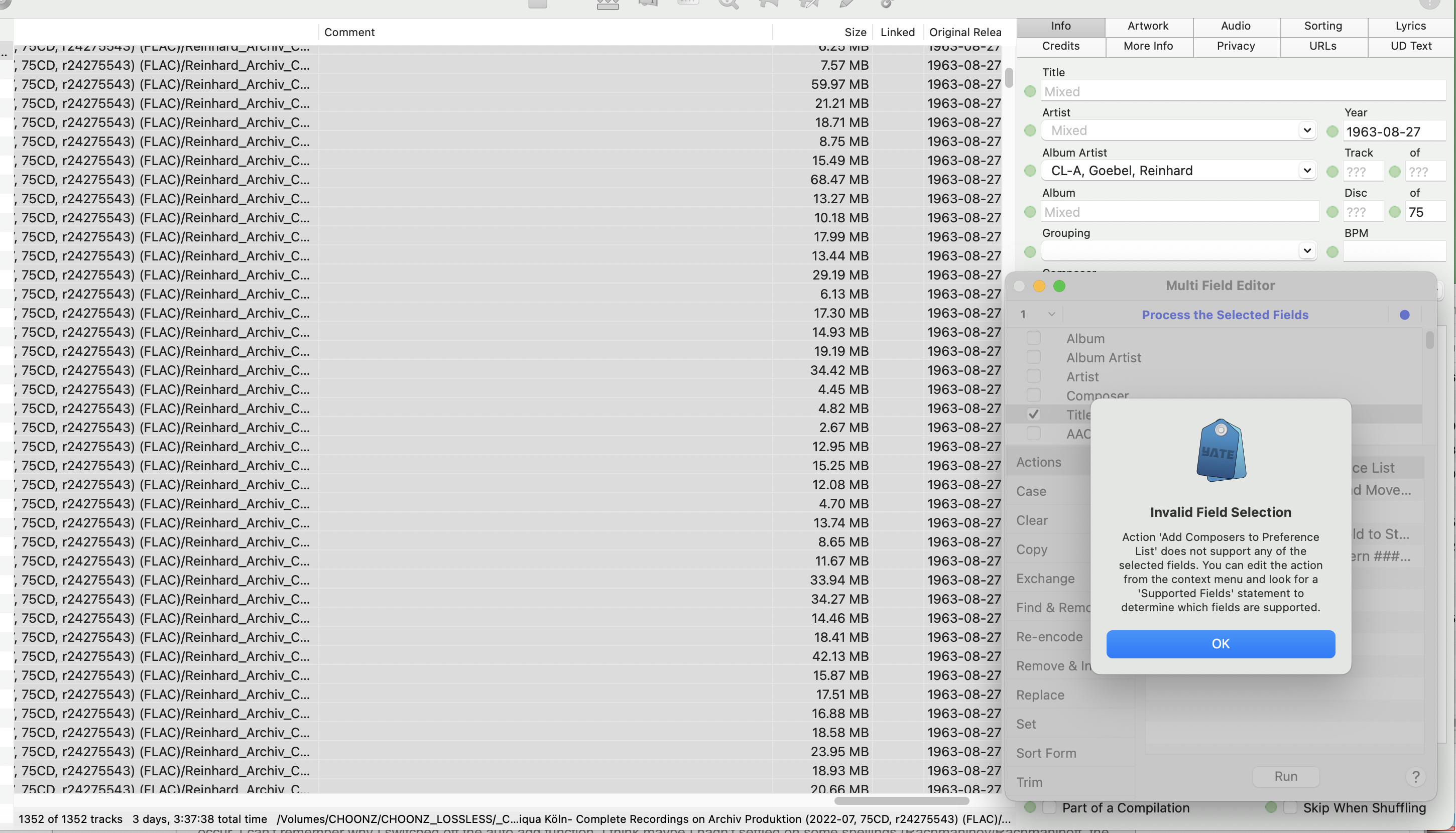
So, did I misunderstand? I've selected all the files in the set & tried to run the action & I get this error.

(Note: Not all the files have a composer name in the composer field. Would that make a difference?)

Image

2MR2PostDecember 4, 2023, 14:29
Avatar photo
Administrator
Posts: 2397
Registered:
August 23, 2012, 19:27
Normal topicAdding composers to list

You have Title selected in the MFE. The action only supports the Composer field.

You can also directly run it from the Composer field's function button's menu:

Multi Field Editor Actions>Add Composers to Preference List

SnowdogPostDecember 4, 2023, 14:59
Pro
Posts: 374
Registered:
March 15, 2022, 17:12
Normal topicAdding composers to list

Perfect!

SnowdogPostDecember 5, 2023, 19:34
Pro
Posts: 374
Registered:
March 15, 2022, 17:12
Normal topicAdding composers to list

That works a treat, thanks!

Pages: 1
Mingle Forum by Cartpauj | Version: 1.1.0beta | Page loaded in: 0.056 seconds.