Welcome Guest

Pages: 1
Automatic composer dropdown menu
SnowdogPostDecember 14, 2025, 07:28
Pro
Posts: 374
Registered:
March 15, 2022, 17:12
Normal topicAutomatic composer dropdown menu

I'm sure I used to have this & I think maybe I switched it off but now I can't remember if I'm imagining it or not.

As I start typing a composer's name I have several options:

1. It auto-completes so I can keep typing until the correct composer shows
2. I can type a few characters & then select 'List Items Containing Text In Field'
3. I can type a few characters & then hit the arrow at the end of the field for a drop-down menu

No.2 is currently the most successful of these.

No.1 is fiddly because you kind of have to type & keep an eye on the auto-completed item & sometimes you have to type quite a lot before you get the right composer.

No.3 is less useful because (for me at least) the surname is usually immediately in my head but the list goes by first names so typing 'Mahler' doesn't really get you that close to 'Gustav'

With No.2 I can type 'Mah' & then look at the list of items & it will be there.

But, in terms of speed & ease (& not having go from typing do doing mouse stuff) what would be best is to start typing part of the composer's name, say 'Mah' & to have a drop down menu underneath where I'm typing with the 'List Items Containing Text In Field' list as it would appear if I'd selected it separately. I can then arrow key down to the correct item & hit enter.

In my head, this is already possible & I just have to enable a setting somewhere.

If it's not possible, I'd definitely make it a feature request, as all the fiddly mouse stuff really has a massive impact in the time it takes to me to tag box sets with hundreds of discs with works by hundreds of composers.

I'll add here that I don't really want to start listing composers by surnames as some of the names (especially of early composers) are quite convoluted & I think I'd be digging a whole new time hole for myself in trying to get that sorted! 😆

2MR2PostDecember 14, 2025, 08:49
Avatar photo
Administrator
Posts: 2390
Registered:
August 23, 2012, 19:27
Normal topicAutomatic composer dropdown menu

These fields are what Apple calls combo boxes. It's a complicated control which they provide and is part of the standard behaviour.

I can't modify the control any more than it is. Especially as that would require testing on every OS version from 10.10 to the latest Tahoe version.

Make sure auto completes are enabled. You can do this from the function button. Select some text and hit the down arrow. It'll do what you want. It's not as fast as having the list repopulate on every character typed but it's faster than getting at the List Items Containing Text in Fields from the function button. You can also start typing and hit the down arrow. Continue editing while the menu is displayed.

SnowdogPostDecember 15, 2025, 22:16
Pro
Posts: 374
Registered:
March 15, 2022, 17:12
Normal topicAutomatic composer dropdown menu

Ah, that's excellent! The down arrow on the keyboard is basically all I'm after! (I mean, I have to start typing from the first name, but it's still quicker 90% of the time. Thanks!

SnowdogPostDecember 15, 2025, 23:10
Pro
Posts: 374
Registered:
March 15, 2022, 17:12
Normal topicAutomatic composer dropdown menu

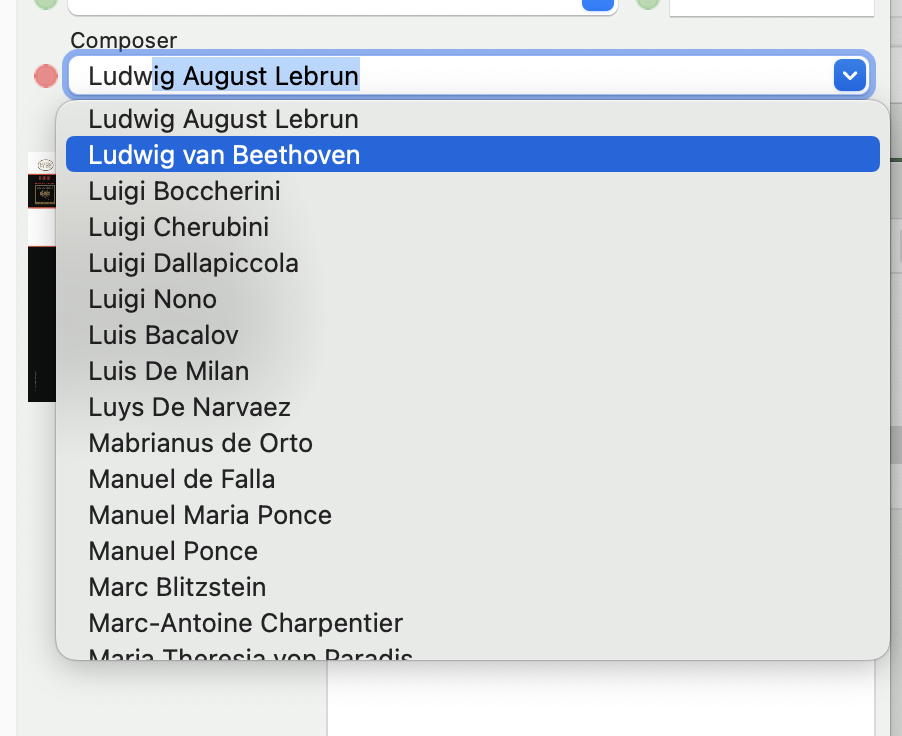
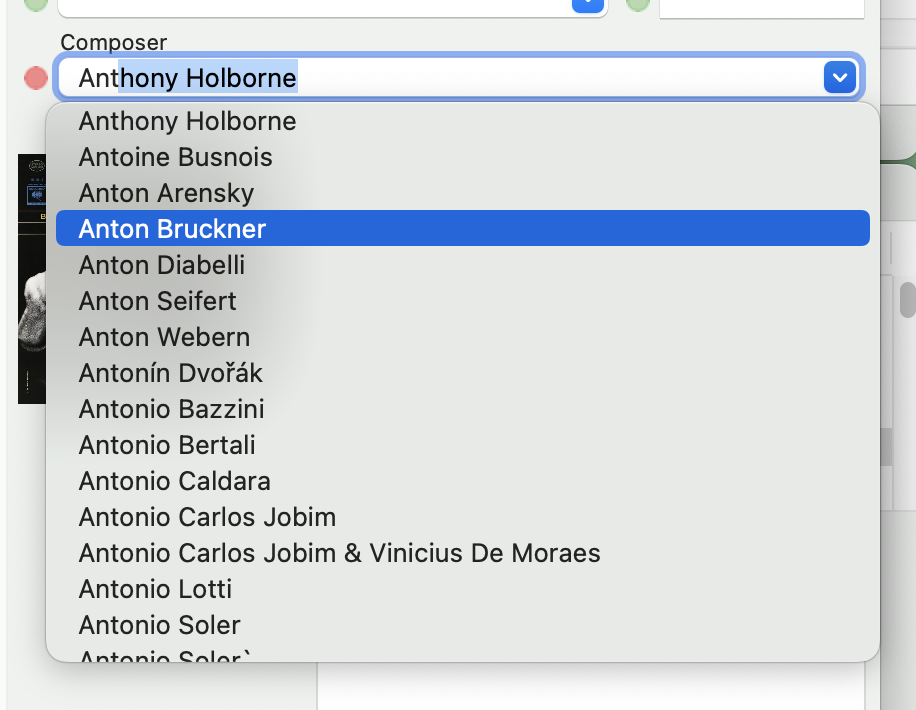
So this is an interesting twist...

I start typing, I hit the down key, I get the list, I click down until I get to where I want to be... But the entry in the field does not change. I still have to grab the mouse & click on the highlighted field.

Is that the correct behaviour?

Image
Image

2MR2PostDecember 16, 2025, 08:35
Avatar photo
Administrator
Posts: 2390
Registered:
August 23, 2012, 19:27
Normal topicAutomatic composer dropdown menu

Hit the Return key when you have the item you want selected.

Pages: 1
Mingle Forum by Cartpauj | Version: 1.1.0beta | Page loaded in: 0.045 seconds.