Welcome Guest

Pages: 1
Some shortcuts are not working
ranzzitPostJuly 12, 2026, 10:48
Newbie
Posts: 6
Registered:
June 16, 2016, 16:32
Normal topicSome shortcuts are not working

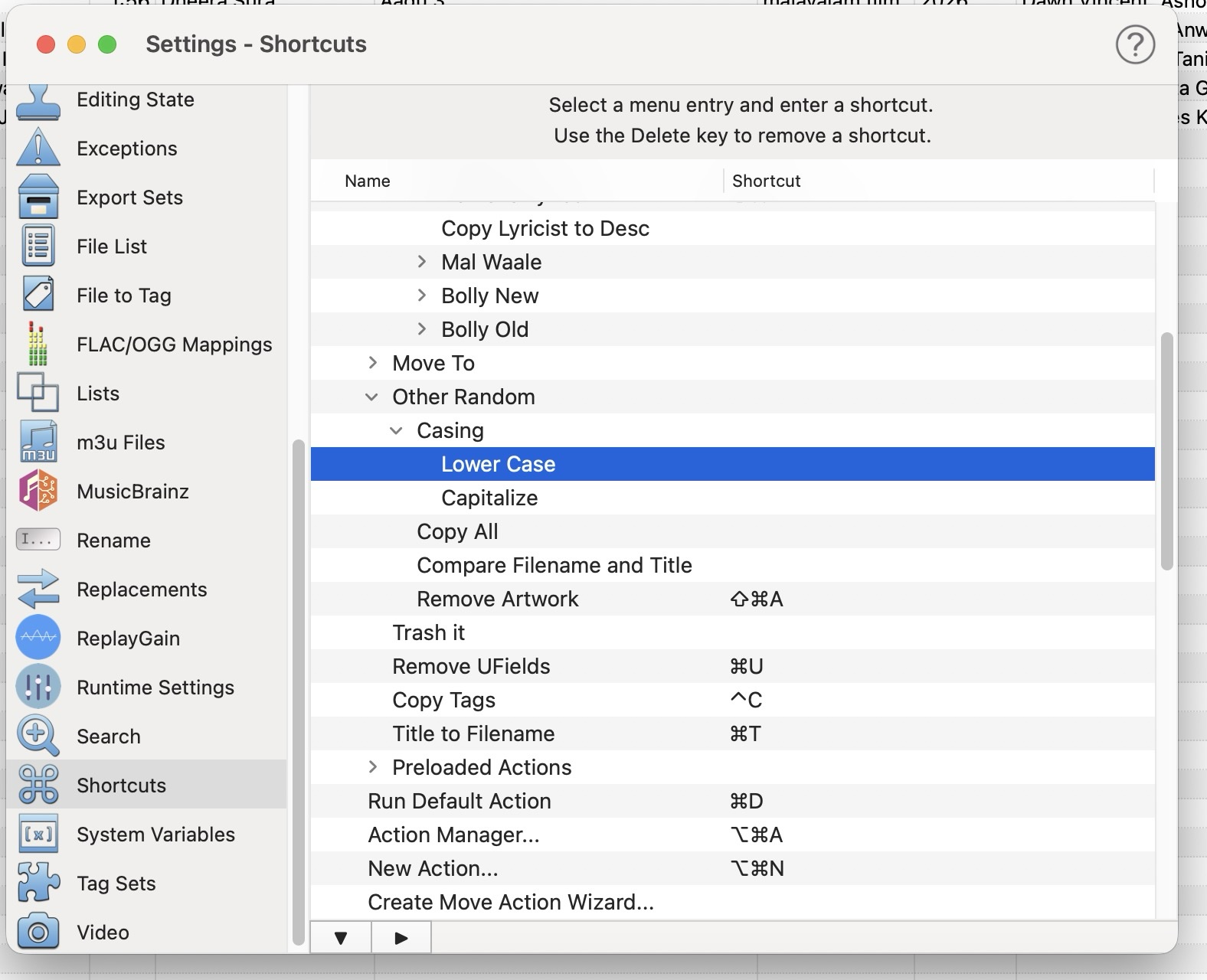
Hi, I had assigned a shortcut (CMD+L) for a user defined action to make everything in lower case.

I checked the settings and this shortcut key combination was still assigned to the actions. I went ahead and deleted it from the Lower Case action and when I tried assigning CMD+L again, its not working. It's not doing anything - no warning saying its assigned somewhere else, nothing. Just nothing.

Any idea what could be causing this? Was working fine till about last month (haven't used yate in a while).

Image

2MR2PostJuly 12, 2026, 11:03
Avatar photo
Administrator
Posts: 2472
Registered:
August 23, 2012, 19:27
Normal topicSome shortcuts are not working

There's nothing special about command L or command T. I've just tried them here (on two Macs) and they work. More than likely something else on your Mac is grabbing the shortcuts before Yate can get notified. This is quite common. Yate won't give a warning because it is creating the shortcut correctly. As a test try Option L and Option T and see if they work.

Note that the proper detection of the validity of certain key combinations is sometimes out of our control. The system and other applications may be grabbing key combinations outside of the application's ability to detect. If you specify a key combination which does not work, or does not work in certain circumstances, simply try a different combination.

Pages: 1
Mingle Forum by Cartpauj | Version: 1.1.0beta | Page loaded in: 0.01 seconds.