Welcome Guest

Pages: 1 2
Re-naming some files on my hard drive
SnowdogPostAugust 25, 2026, 17:13
Pro
Posts: 383
Registered:
March 15, 2022, 17:12
Normal topicRe-naming some files on my hard drive

Well, I have such a comprehensive set of actions now that it's been some time since I've needed to come begging, but I have a new "issue" & I'm seeing if I can save some time with a new action.

The overly complicated (& probably irrelevant to my question) workflow is as follows:

I'm using an app called "Make MKV" to extract all the data from blu-rays & turn each "Title" into a stand-alone movie file. (A "Title" would correspond to a complete album or concert.)

I then use MKVToolNix to split each of the Titles into "Chapters". These correspond to the tracks on the album or concert.

I then use To FLAC Converter to convert the "MKVs as Chapters" into FLAC audio files so that I get a separate audio file for each track of the album.

The clever thing about all this is that, preserved in the MKVs are all of the audio options that one can choose when playing the blu-ray & these are separated out into the FLAC files. (In other words, the blu-ray may give the listener the option to select between Stereo & 5:1 surround sound versions of an album in, say, LPCM & DTS-HD audio formats & the listener - if they have such equipment - can select the most suitable format. I end up with each of these audio options as a separate FLAC file.)

So here's my problem. The app "To FLAC Converter" seems to work in a linear fashion. When there is more than one audio format in a given MKV file, it will start by creating the first one. It will then move one to the second one & append "audiotrack_2" to the file name. Then "audiotrack_3" & so on.

The problem with this is that the files sort with the first one last, just because a comes before f, so what I get is:

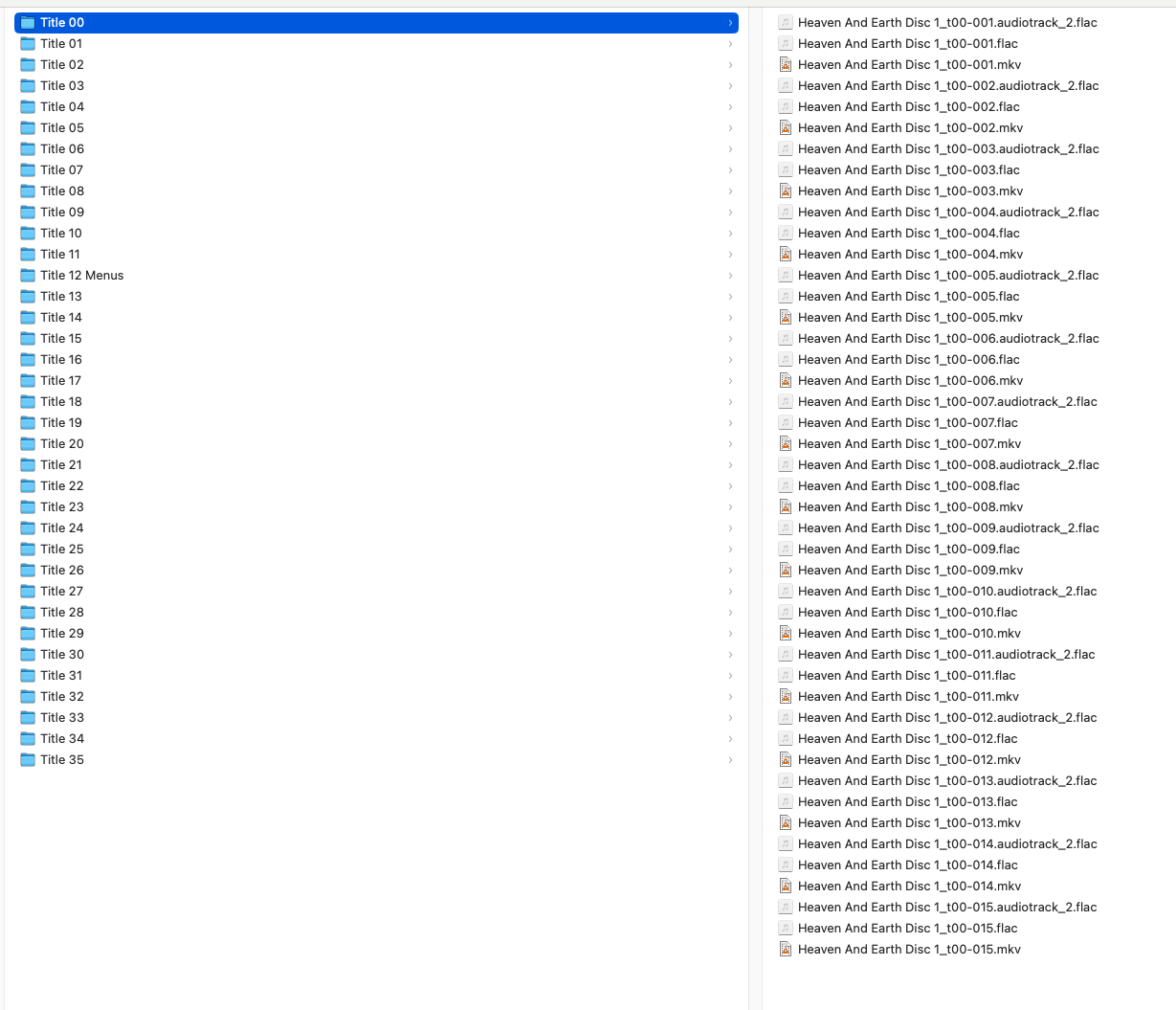
Heaven And Earth Disc 1_t00-001.audiotrack_2.flac
Heaven And Earth Disc 1_t00-001.flac

and what I need is:

Heaven And Earth Disc 1_t00-001 audiotrack_1.flac
Heaven And Earth Disc 1_t00-001 audiotrack_2.flac

Usually there is only one folder with these audio options & I can very quickly do this manually, but with this latest blu-ray there are 35 folders like this! Obviously I can use a "find & replace" function to remove the full stop before all the occurences of "audiotrack" but because the ones without "audiotrack" share the same ".flac" pattern with all the others, I have to go in & manually shift select them all to do the change.

So... I suppose the action would be something along the lines of "for any file name that contains the word '.audiotrack', remove the full stop before audiotrack & replace it with a word space then, for any file names that end in ".flac" & don't already contain the word 'audiotrack' add in " audiotrack_1.flac".

I hope this makes sense.

I've attached a screenshot so that you can see the first folder of incorrectly named files.

Image

2MR2PostAugust 25, 2026, 17:45
Avatar photo
Administrator
Posts: 2484
Registered:
August 23, 2012, 19:27
Normal topicRe-naming some files on my hard drive

It can be done ... but it has to be done safely. If you do not have the Dump Metadata action please download it via:

Yate>Resource Actions Installer

Load up and select all the files. Run the Dump Metadata action (when prompted select Text Only). Please send me the produced zip file to support@2manyrobots.com. The file will be run through another action which will create the files (without audio). This will save me the need to generate a test set of files.

2MR2PostAugust 25, 2026, 19:07
Avatar photo
Administrator
Posts: 2484
Registered:
August 23, 2012, 19:27
Normal topicRe-naming some files on my hard drive

Never mind about the dump. I figured out an easy way to generate the test files.

Download: https://2manyrobots.com/actions/SD--Fix-audiotrack-in-filename.zip

Load up and select all the files then run action SD: Fix audiotrack in filename

If I got it wrong do a File>Rename>Rename to Initial Filename

The action will not mess up if you run it more than once on the same files.

SnowdogPostAugust 26, 2026, 04:25
Pro
Posts: 383
Registered:
March 15, 2022, 17:12
Normal topicRe-naming some files on my hard drive

Do I need to load the files into Yate?

(I'm only a bit confused because the action is currently greyed out, unlike the other file re-naming actions I have.)

2MR2PostAugust 26, 2026, 07:13
Avatar photo
Administrator
Posts: 2484
Registered:
August 23, 2012, 19:27
Normal topicRe-naming some files on my hard drive

The action is greyed out because there are no files selected. 🙂

Load the entire set of files; select them and then run the action.

SnowdogPostAugust 26, 2026, 11:43
Pro
Posts: 383
Registered:
March 15, 2022, 17:12
Normal topicRe-naming some files on my hard drive

Okay cool. I wasn't sure if it was one of those actions like my photo renaming one where I just point it at the files on the hard drive.

Right, will report back!

2MR2PostAugust 26, 2026, 11:46
Avatar photo
Administrator
Posts: 2484
Registered:
August 23, 2012, 19:27
Normal topicRe-naming some files on my hard drive

The Action Manager has an Always column. If not check, files must be supplied.

SnowdogPostAugust 27, 2026, 17:49
Pro
Posts: 383
Registered:
March 15, 2022, 17:12
Normal topicRe-naming some files on my hard drive

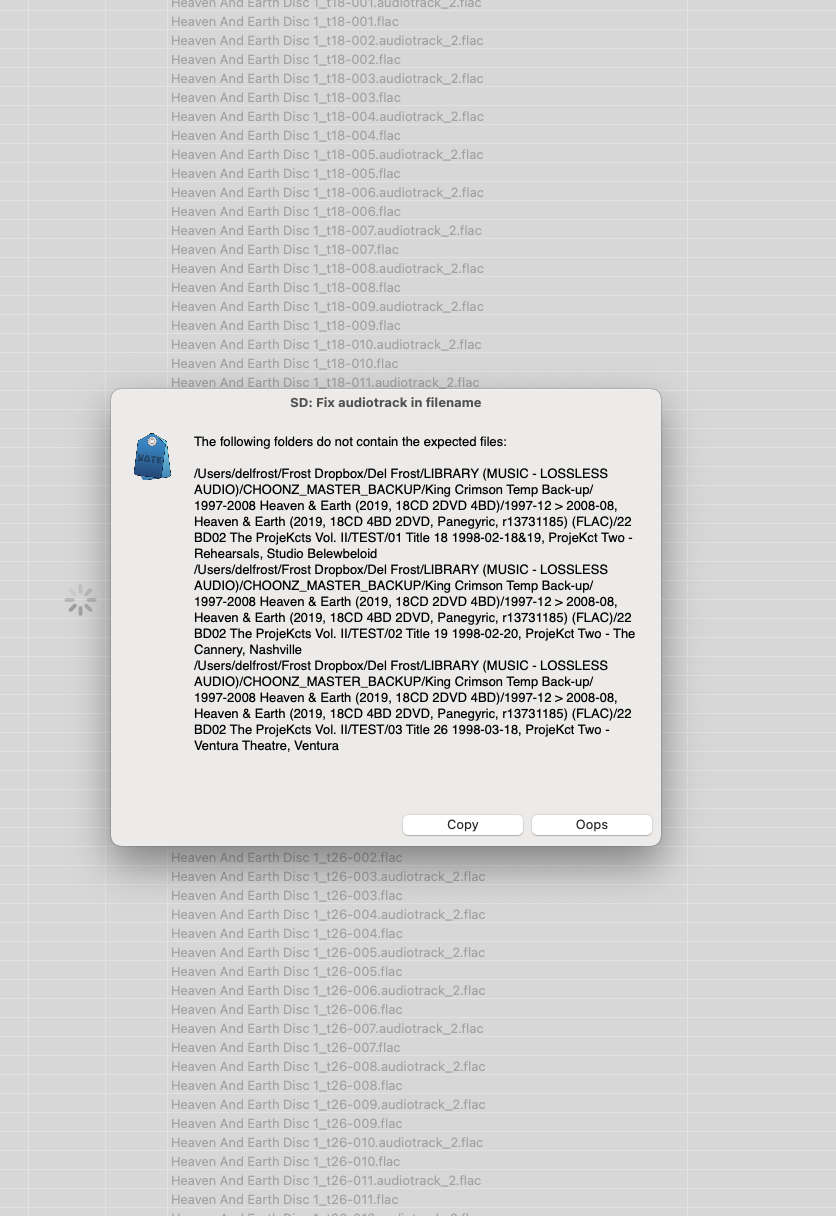
I'm not sure what this means. The files are there, you can see them greyed out in the background.

Image

2MR2PostAugust 27, 2026, 18:14
Avatar photo
Administrator
Posts: 2484
Registered:
August 23, 2012, 19:27
Normal topicRe-naming some files on my hard drive

Well my test bed is working so there is a different interpretation somewhere in the files you have and what I expect. The faults are generated if there is at least one file with the pattern and more than one file without the pattern in any given folder.

This can be easily fixed if you load and select all the files and then run the Dump Metadata action (text only). Send me the generated zip file (support@2manyrobots.com) and I'll have a look. This will be far easier than going back and forth ... I'll see exactly what files you have and will be able to replicate the error.

SnowdogPostAugust 28, 2026, 18:21
Pro
Posts: 383
Registered:
March 15, 2022, 17:12
Normal topicRe-naming some files on my hard drive

Thanks. That's sent.

Pages: 1 2
Mingle Forum by Cartpauj | Version: 1.1.0beta | Page loaded in: 0.019 seconds.